Migos AI video: the Hotel Lobby trend, photos and sound explained
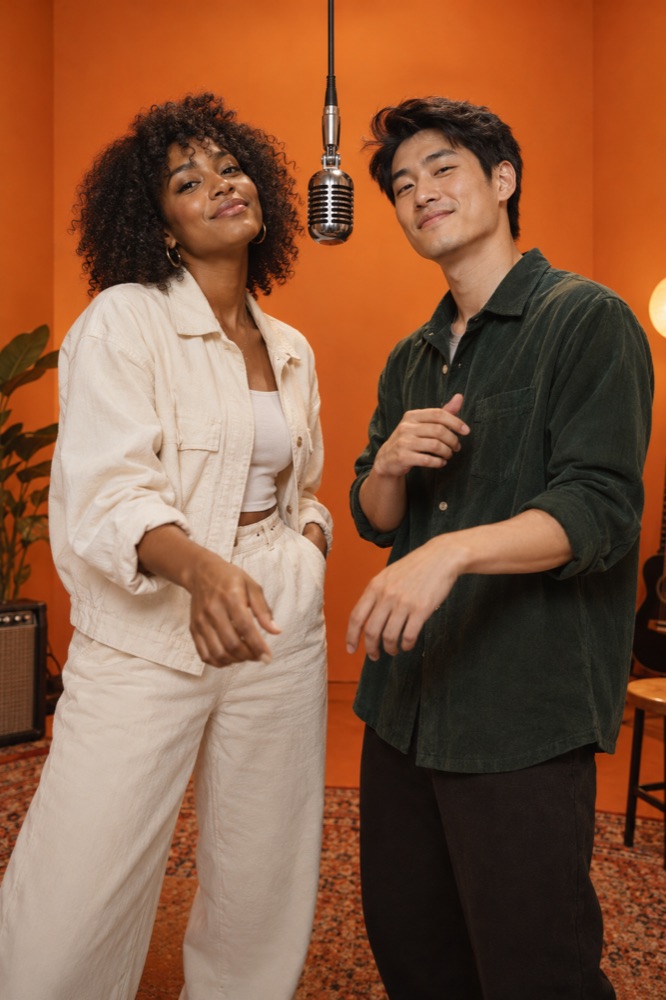
“Migos AI video” is commonly used as a search label for Hotel Lobby style AI performance clips. It is not the name of a foundation model. The recognizable reference is Quavo and Takeoff’s Hotel Lobby performance for A COLORS SHOW: two performers, a solid-color set and a hanging microphone. Tools can recreate a look or transfer motion, but those workflows are different.
Why do people call the trend Migos AI?
Search phrases blend artist names, songs and the tools used to remake a scene. The original performers here are Quavo and Takeoff. COLORSxSTUDIOS discussed the AI remakes in its October 10, 2026 newsletter, describing character replacements that follow the performers’ movements.
Calling a tool “Migos AI” does not identify its underlying video model, establish artist involvement or mean the result is official footage. This guide uses the phrase to explain the search intent, not as a claim of affiliation.
Do I need two photos to make a duo video?
It depends on the workflow. A tool that supports separate character references may accept multiple portraits. SnapToClip currently accepts one photo for its Hotel Lobby duo template, so both clearly adult people need to appear together in that image.
Choose balanced light, similar face sizes and enough room around both heads and shoulders for a vertical crop. Avoid crossed arms covering faces, overlapping faces, extreme camera angles and strong shadows. Everyone depicted must authorize the use.
What makes an orange-room performance recognizable?
A simple set lets the people carry the scene. Use a warm orange background, one microphone between the subjects, a steady camera and restrained gestures. Preserve space between the faces so the model has a clear reference for each person.
A single-photo generation creates new movement; it does not promise frame-for-frame choreography from the original performance. If precise timing is essential, investigate a motion-transfer workflow using a reference video you have permission to use.
Is the original sound included?
Visual generation, lip sync and music rights are separate decisions. SnapToClip’s scene template requests original instrumental sound rather than the commercial Hotel Lobby recording, song lyrics or an imitation of the artists’ voices.
For your own spoken line, the separate homepage speech studio accepts one adult portrait and a short script. It is a talking portrait workflow, not a two-person rap duet. Listen to the prepared audio before paying for the video step.
What should I inspect before sharing?
Watch each face throughout the clip, then check hands, microphone placement and how the two people interact. Listen for unexpected words or music. Keep only a result that represents the people appropriately, and describe it honestly as AI-generated when sharing.
For a seasonal post, match the mood to the occasion: warm lights and gratitude for Christmas, or gentle theatrical styling for Halloween. Seasonal decorations should support the subjects rather than cover their faces.
Find your scene.
Browse a template, then check creation availability in the homepage studio.
Explore the looks ↗